
Detailed Workflow
Break Overlap Coverage Control Workflow (Lunch Overlap Deep Dive)
A structured, repeatable workflow to prevent hidden coverage drops during lunch and break overlap windows by treating break transitions as controlled staffing events.
- Scope: Detailed Workflow
- Built for practical day-to-day operations
- Time to apply: 30-90 minutes
- Updated: recently
Problem
Break overlap failures rarely look dramatic at first. The day can start fully staffed, then slip in a 15- to 30-minute window when breaks align with known demand pressure. One small drop in available coverage triggers queue growth, context switching, and rushed corrections that drain the rest of the shift.
Target outcome
Break windows feel controlled instead of risky. Teams know which roles must stay protected, who can flex, and when to trigger contingency coverage. Instead of midday chaos and late recoveries, service stays steady, handovers stay clean, and people finish shifts without carrying avoidable backlog.
Governance principle
Short interval staffing matters more than daily averages. Minimum coverage floors must be protected during break windows to maintain service continuity (aligned with queueing theory and service level management principles).
When to use this
- Lunch overlap repeatedly triggers backlog
- Teams operate with lean staffing during fixed service hours
- Break compliance pressures conflict with service continuity
- Queue age spikes at predictable midday intervals
Roles and ownership
- Operations Planner: Defines minimum coverage floors by role and maps risk windows.
- Scheduler: Builds staggered break sequences aligned to coverage thresholds.
- Team Lead Or Realtime Controller: Monitors live coverage, enforces staging, triggers contingency swaps.
- Review Owner: Conducts post-window review and updates sequencing rules.
Workflow steps
Step 1: Map overlap risk windows
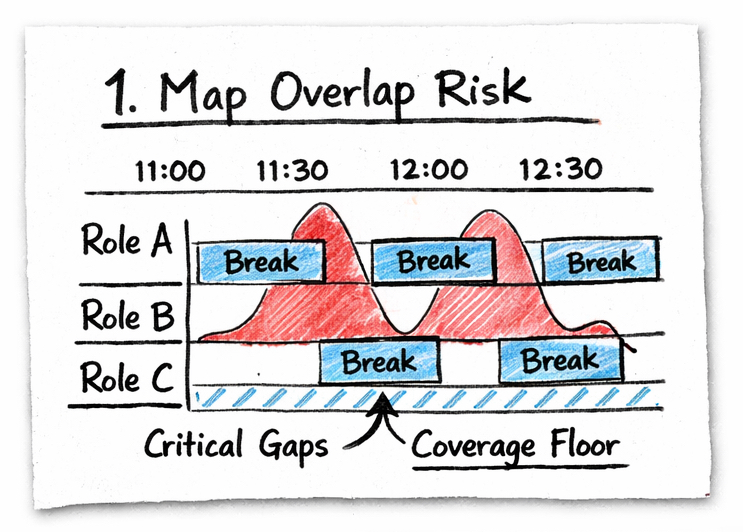
Identify where break schedules collide with demand peaks at 15-minute interval level.
Why it matters: Queueing models show that small supply drops during peak intervals disproportionately increase wait times.
Actions:
- Overlay planned break windows against historical demand in 15-minute intervals
- Highlight critical slices where demand exceeds planned staffed capacity
- Define explicit minimum coverage floors by role (not just total headcount)
- Document risk intervals in a coverage risk matrix
Signals to watch:
- Repeated queue age spikes at similar times
- Multiple high-skill roles unavailable simultaneously
- Backlog accumulation beginning within a narrow 15–30 minute window
- Post-lunch overtime patterns
Decision logic:
- If coverage drops below floor in any 15-minute slice → re-sequence breaks before approval
- If two critical roles overlap in break → force stagger adjustment
Common failure mode: Break schedules are approved based on policy compliance or fairness without role-level demand context.
Step 2: Stage break execution
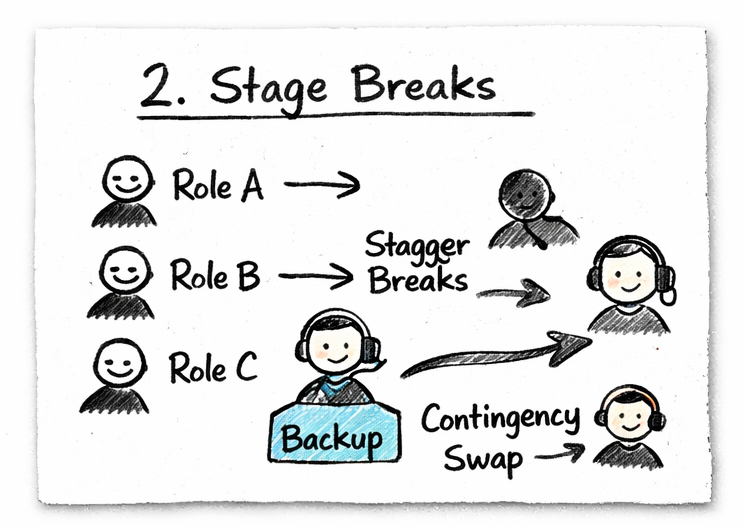
Actively distribute and enforce breaks to protect coverage floors during overlap windows.
Why it matters: Break staggering only works if enforced in real time. Passive scheduling creates hidden exposure.
Actions:
- Stagger breaks based on role criticality and demand sensitivity
- Assign temporary backup coverage for exposed demand streams
- Pre-approve at least one contingency swap path per shift
- Activate live coverage dashboard monitoring during risk windows
Signals to watch:
- Coverage floor violation in any 15-minute block
- Backup role utilization exceeding threshold
- Swap requests increasing week-over-week
- Queue age accelerating faster than historical baseline
Decision logic:
- If coverage floor is breached → trigger contingency swap immediately
- If backup role load exceeds defined threshold → delay next scheduled break
- If live queue age exceeds tolerance → temporarily freeze break transitions
Live controls:
- Real-time coverage view by role
- Minimum coverage floor alerts per 15-minute interval
- Exception log capture during window
Common failure mode: Break staggering exists on paper but is not enforced during live operations.
Step 3: Run post-window review
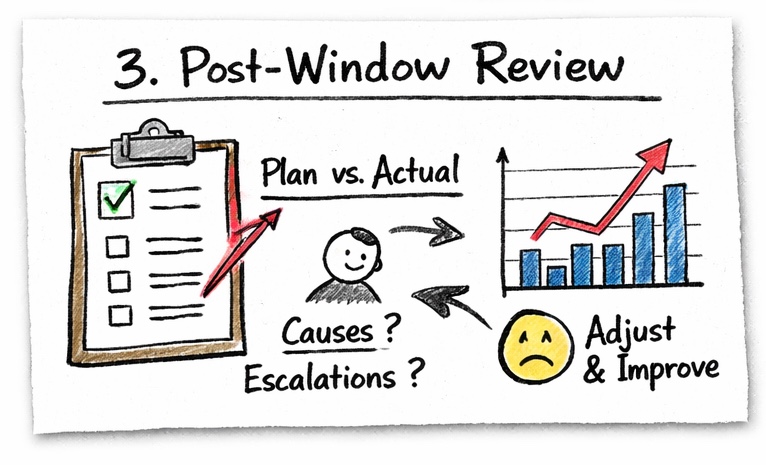
Capture execution drift and continuously refine break sequencing.
Why it matters: Without feedback loops, the same overlap risk repeats daily.
Actions:
- Compare planned versus actual coverage at 15-minute level
- Log root cause of any floor violations
- Identify repeated exception triggers
- Update next-cycle break sequencing rules
Signals to watch:
- Recurring same-cause exceptions
- Queue recovery exceeding acceptable timeframe
- Escalation volume increasing after break windows
- Overtime directly traceable to overlap window
Improvement loop:
- Update coverage floor thresholds if demand pattern shifts
- Refine role-based staggering rules
- Adjust contingency swap guardrails
Common failure mode: No structured feedback loop, allowing repeated midday exposure.
Artifacts
- Break overlap risk matrix: 15-minute interval grid mapping demand, planned coverage, and minimum floor by role.
- Coverage floor definition sheet: Document defining minimum required coverage per role during peak intervals.
- Break contingency map: Pre-approved swap paths and delay thresholds for live execution.
- Exception review log: Structured template capturing cause, interval, impact, and corrective action.
Operational metrics
- 15-minute coverage floor adherence rate
- Queue age delta during break windows
- Post-window recovery time
- Overlap-driven overtime hours
- Exception frequency per week
Related search angles
- lunch break coverage management
- coverage gaps during breaks
- intraday break planning
- minimum staffing coverage during breaks
Go deeper
- Start with: Lunch Overlap Coverage Quick Guide
- Operating playbook: Lunch Overlap Coverage Playbook
- Detailed workflow (this page): Break Overlap Coverage Control Workflow
How this fits your scheduling stack
- Plan: Shift Scheduling Software
- Assign: Staff Scheduling Software
- Leave: Leave Management Software
- Control: Intraday Scheduling Resource Hub
Pick your next step
- Start free trial
- Watch 10-min walkthrough
- Get implementation checklist
- Talk to operations specialist
Next step
Next actions